Guide details
On this page
Start VelocityMU Companion alongside the game. Use the three tabs at the bottom.
Clients
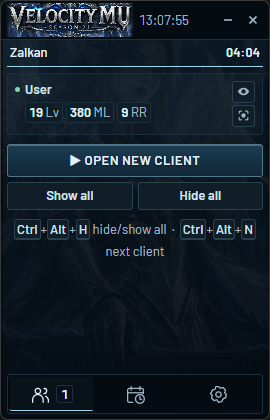
Open new client starts the game. Use the eye to hide/show a window and the target icon to focus it. Show all / Hide all control all clients; hidden clients keep running.
Ctrl + Alt + H: hide/show all. Ctrl + Alt + N: switch to the next client.
Events
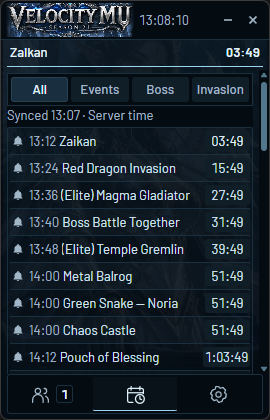
Schedules sync with the website at startup and every 5 minutes. Use All / Events / Boss / Invasion to filter the list. The top timer shows the next event; all times use server time.
Click an event’s bell to turn its alert on or off.
Settings
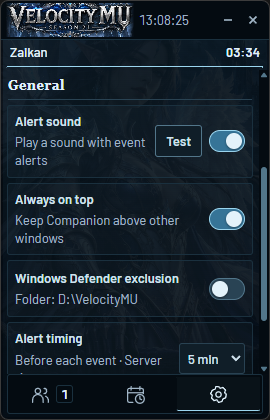
Choose alerts 10, 5, 2 or 1 minute before an event. Your choice is saved. Sound, always-on-top, client-closed and frozen-client alerts can be changed here.
Minimize or close keeps Companion in the tray. Click its blue MU icon to reopen; Quit Companion exits the app.